Trainz Update Announcement (SP6)

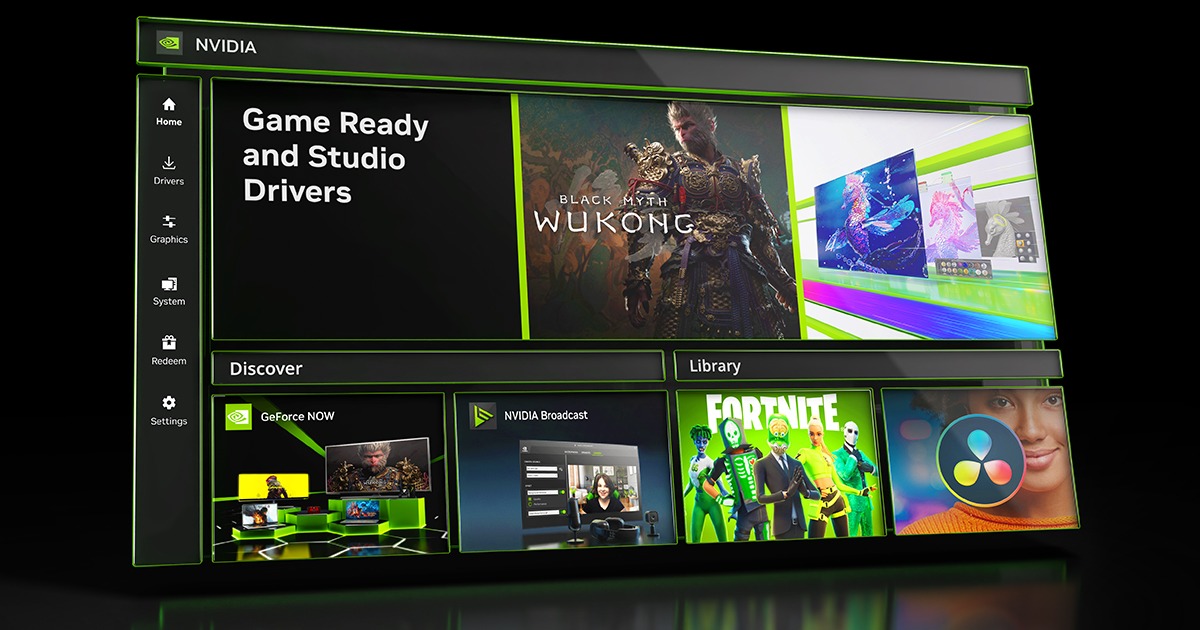
Download NVIDIA App


Install it, and you will receive updates.
Download and install the NVIDIA graphics update
make sure that you choose Custom, perform a clean installation
restart your computer

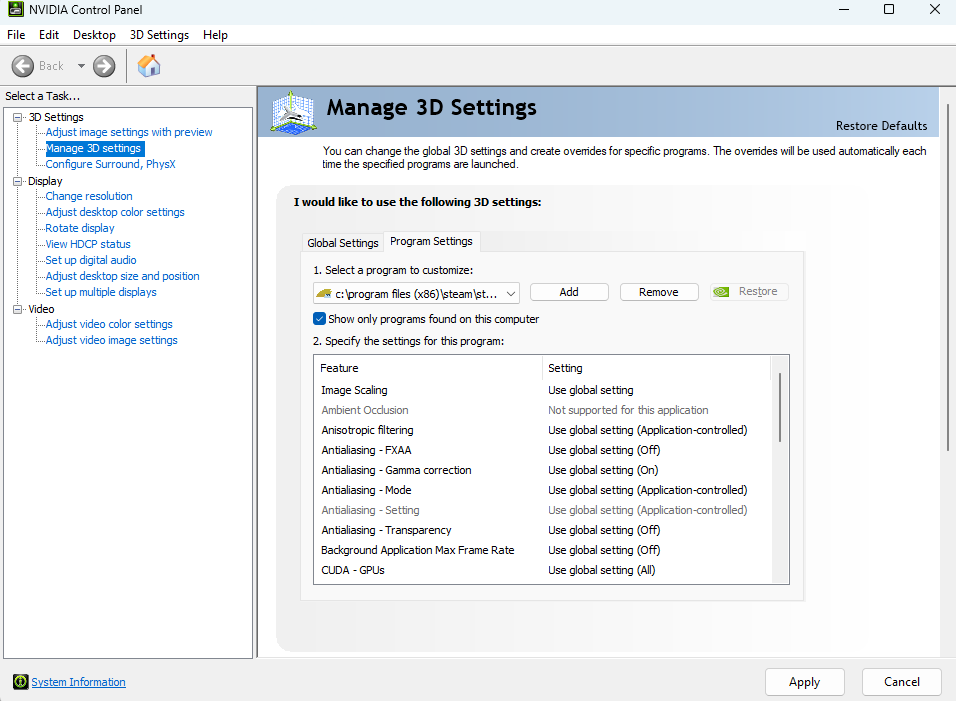
Now, scroll up and follow the instructions I've mentioned at post about NVIDIA control panel settings
Launch Trainz and it should be working

If you do not perform a clean install of NVIDIA graphics, you will continue to get lag
you still have to keep your graphics drivers updated and not updated by Microsoft where they ruin everything with generic versions

I done what u said and im still not seeing the option
Screenshot%202025-11-02%20181013.png
 
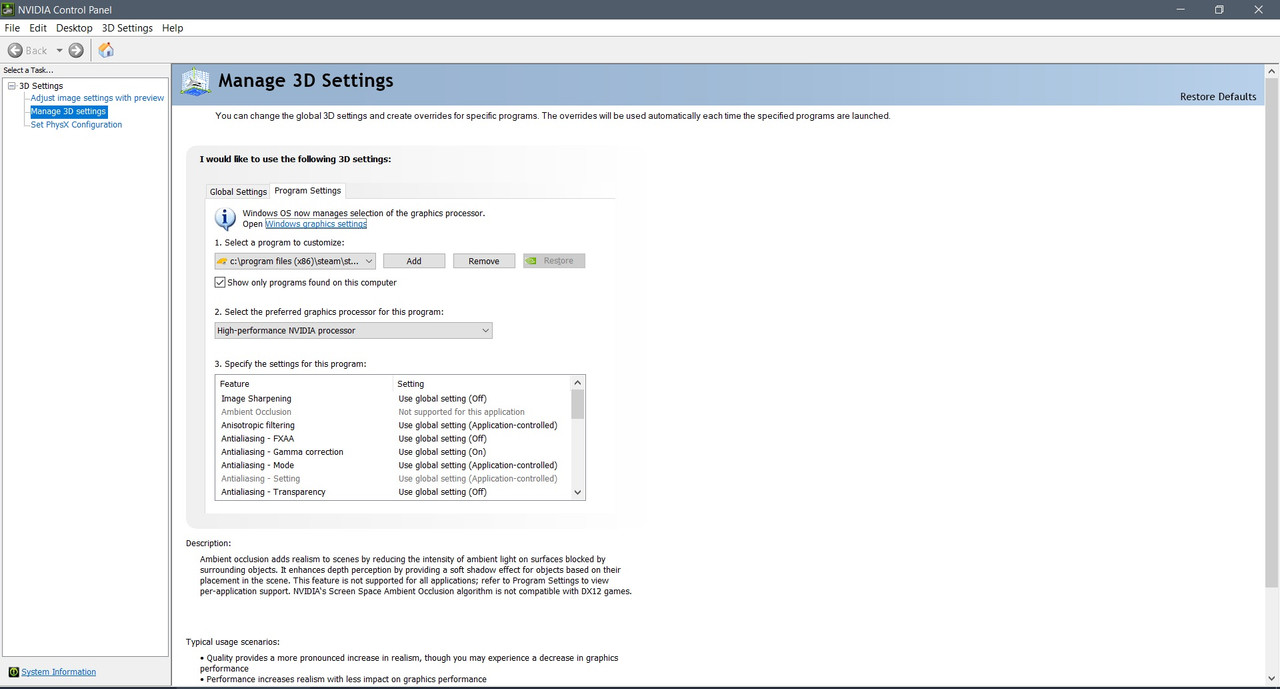
Just out of interest, I have the same thing in Nvidia Control Panel. Where is the option for "Select the preferred graphics processor for this program"? (I have both my TRS22 installations added to the Program Settings tab.)
 
Just out of interest, I have the same thing in Nvidia Control Panel. Where is the option for "Select the preferred graphics processor for this program"? (I have both my TRS22 installations added to the Program Settings tab.)
Same here. I can't find that option either unless it's power mode settings. I have mine already set for high performance.

This could also be something that's only available on newer video cards.
 
Alrighty! Not the end of the world.

Here is a solution to resolve the missing "Select the preferred graphics processor for this program" option in NVIDIA control panel https://nvidia.custhelp.com/app/answers/detail/a_id/5035/~/run-with-graphics-processor-missing-from-context-menu:-change-in-process-of#:~:text=If the OS does not specify a graphic,| Program Settings > Preferred graphics processor setting.
I'm fuming cuz I don't have that option !!!! :-(

Kidding! This looks like it's a mobile option on NVidia's Control Panel and not available on desktops unless there's a second GPU installed or enabled.
 
Mine doesn't have that setting either. Maybe a newer version? Or maybe because I am miles behind with a 1080.
Even with a 1080 you should have the option, I have a 1050.

Sounds like NVIDIA removed the feature altogether, that would be a major problem for the games I use the high performance processor for
Trainz "TANE, TRS19 and TRS22"
Starship Troopers Extermination
Predator Hunting Grounds
American Truck Simulator
Euro Truck Simulator
DTG Train Simulator Classic
Arma 3
Car Mechanic Simulator 2018
Rising Storm 2: Vietnam
 
Ok! I figured it out

Windows 10/11

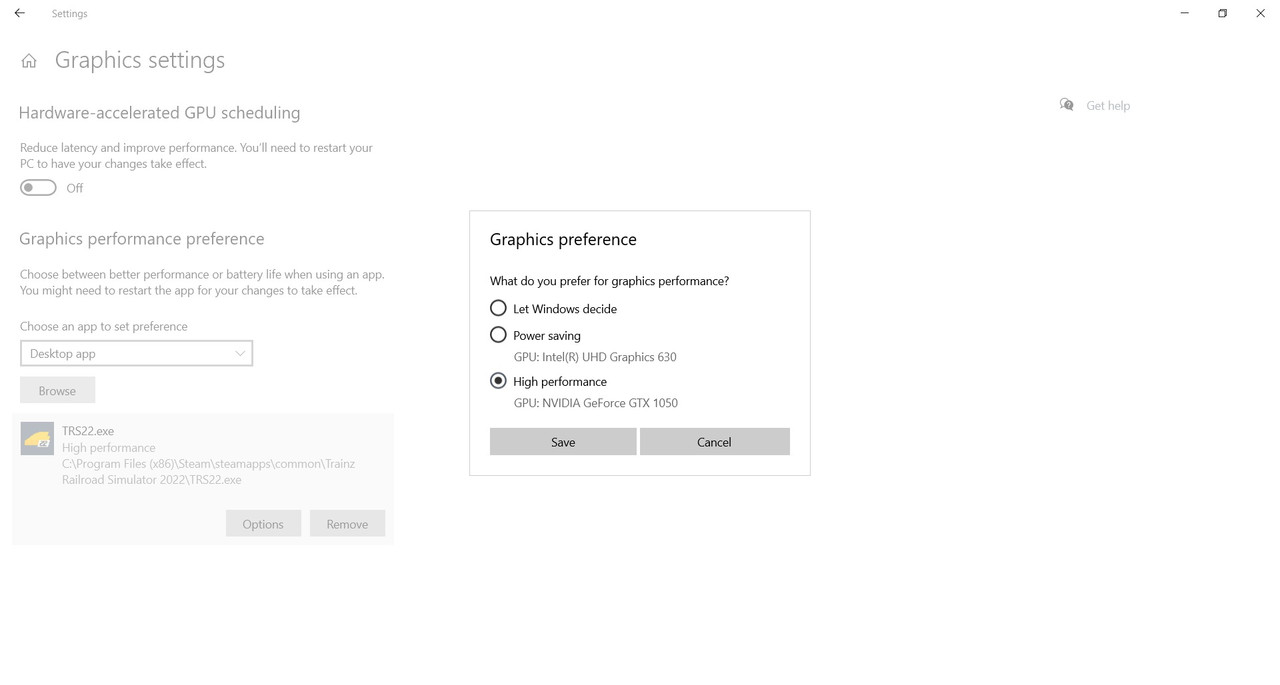
Go to Settings, type Graphics, choose Graphics Settings

Under Graphics performance preference, click browse
Navigate to the installation of Trainz

Windows 64 bit system
Steam default:
Program Files (x86)\Steam\Steamapps\Common\Trainz Railroad Simulator 2022\TRS22.exe

Default path for Trainz Store (Retail) "Correct me on this"
Program Files (x86)\N3V Games\Trainz Railroad Simulator 2022\TRS22.exe

*Notes: This also works for TANE, TRS19 and Trainz Plus and other games
For Windows 32 bit system, Program Files instead of Program Files (x86)

Click Add
Click Options, choose High performance GPU: NVIDIA xxxxxxxxxx and click Save
 
I am currently using TRS22 Plus build 119450. I have been hesitant to update to the newest build because of all the horror stories I've seen in this and other threads. 119450 works well and is stable, which is why I haven't updated since I bought the game. The last thing I want is to break a bunch of content or cause the game to become unstable. Obviously, at some point, an update becomes necessary to use new content and gain access to new features. I am looking for advice on whether to update to the newest build, or to hold off for now, based on what other people have experienced. If it matters based on performance, I am using an AMD system with an RX 6800XT GPU and a Ryzen 7 5700x CPU. I usually get about 30-60 FPS in-game depending on the route and settings selected. I do not want to update if it is likely do degrade performance, i.e. make the game lag more. Any input is appreciated.
 
SP6 HF1 works better than SP5 did for me, no issues at all so I'd recommend upgrading. I'm working on a pretty hefty route and it certainly seems to run smoothly and load quickly.

Others will no doubt have differing opinions/hardware etc. so experience will vary but I don't see why it would be an issue. Just back everything up first in case you don't get on with it.

Cheers,

PLP
 
SP6 HF1 works better than SP5 did for me, no issues at all so I'd recommend upgrading. I'm working on a pretty hefty route and it certainly seems to run smoothly and load quickly.

Others will no doubt have differing opinions/hardware etc. so experience will vary but I don't see why it would be an issue. Just back everything up first in case you don't get on with it.

Cheers,

PLP
SP6 HF1 performance is absolutely horrid on my machine.

I for one will not be updating, and more than likely shelving the game and canceling my subscription.
 
Back
Top