Red Launcher Crash - Any Solutions? - SOLVED

Christopher824

CDETrainz.com
Hello,

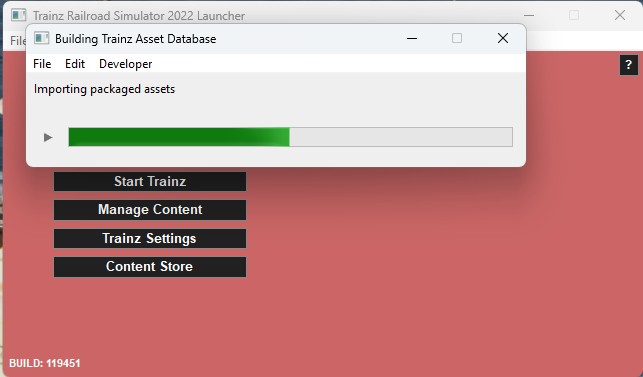
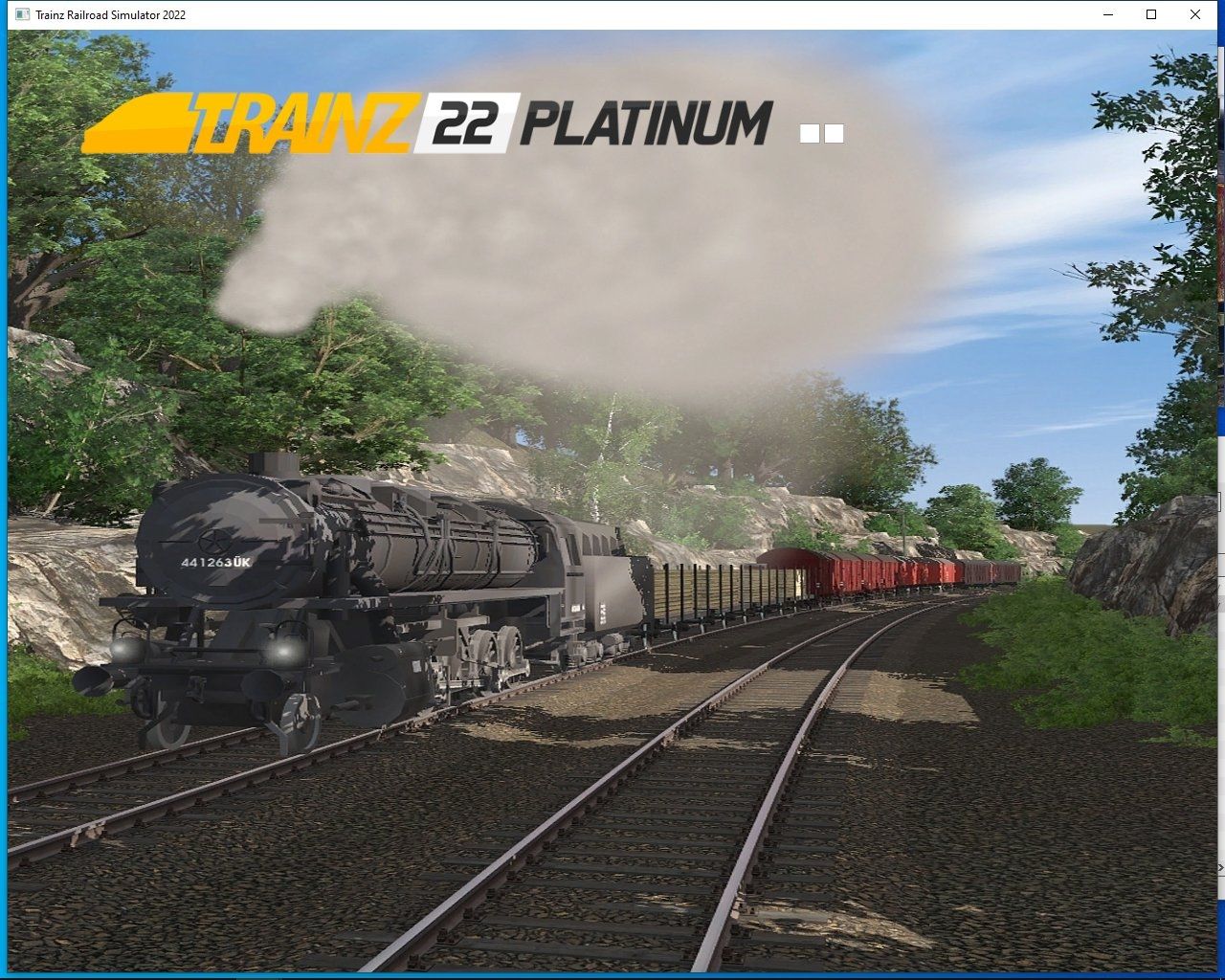
When I launch Trainz 22 PE, the Launcher has no picture, and where the picture should be, its just solid red. Then a database repair begins and finishes, Then closes. Unable to run Trainz

Anyone know a solution please?
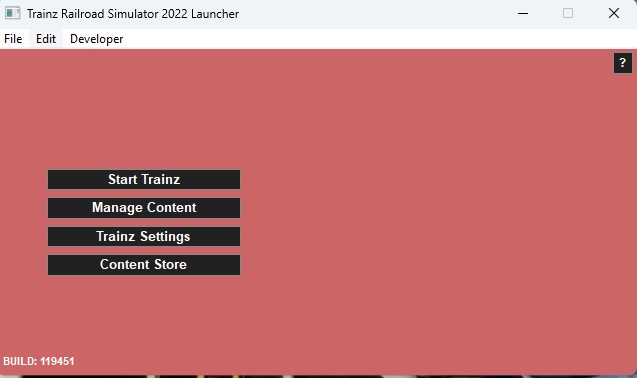
red launcher 2.jpg


red launcher 1.jpg
 
Last edited:
What is missing is the image that serves as the background of the window. I vaguely recall a thread where someone wanted to change this image and the file was named by someone. I would think that finding the name of that file and then copying it from a working install to the replace the image in the nonworking install is the solution. It sounds like it is stored in your local data folder for some reason.
 

p-dehnert

Well-known member​

- in Content Manager: "Open -> Show in Explorer" <kuid:30501:130014>
- Copy the opened folder to some working space (Desktop), and "Revert Unsubmitted" <kuid:30501:130014>
- in the copied folder: unpack all .texture files using PEV's Images2TGA (to .texture.txt and .tga)
- remove the the .texture files (after unpacking)
- some pictures have to be resized (to match the power of 2 requirement) (the trs22 ones and the _portrait one)
- replace any picture not pleasing you
-- by another picture using the same name or
-- by changing the Primary= entry in the .texture.txt file
- in the config.txt change the kuid to <kuid2:30501:130014:1>
- import the folder containing the modifications

Screenshot of my test:
Modified-TRS22-Loading-Screen.jpg


Peter

TRS2004, TRS2006, TS09, TS10, TS12, TANE, TRS19, TRS22PE, Trainz+
 
To everyone, thanks for the replies!

I still can't open that build, from backups, etc.

To me the red screeen is someting the programmers put in there that an item is wack.

It's a top level item, not a DLC thing. NV3 any word?
 
To everyone, thanks for the replies!

I still can't open that build, from backups, etc.

To me the red screeen is someting the programmers put in there that an item is wack.

It's a top level item, not a DLC thing. NV3 any word?
What do the images look like in C:\Program Files\N3V Games\Trainz Railroad Simulator 2022 PE\resources\images ?

These are .bmp images and can be opened in any image editor. I've actually modified the image to create one for beta-testing to be able to tell the difference between my working copy and beta versions when I've had both open at the same time.
 
What do the images look like in C:\Program Files\N3V Games\Trainz Railroad Simulator 2022 PE\resources\images ?

These are .bmp images and can be opened in any image editor. I've actually modified the image to create one for beta-testing to be able to tell the difference between my working copy and beta versions when I've had both open at the same time.
Checked my 2022 installs and all the .bmp files show correctly
 
I remeber years ago I had a simular problem and it was here that fixed it.

In the C:\Users\xxx\AppData\Local\N3V Games\trs22 folder is a file called userdata-redirect-map.txt

Should this file only contain one line? Here is what mine looks like currently;

"d:/trainz/trainz plus" "C:/Users/xxx/AppData/Local/N3V Games/trs22/build 0c7jd4e61"
"d:/trainz/trainz railroad simulator 2022/trainz railroad simulator 2022" "C:/Users/xxx/AppData/Local/N3V Games/trs22/build kkbd8nso1"
"c:/program files/n3v games/trainz plus" "C:/Users/xxx/AppData/Local/N3V Games/trs22/build lmrkhpkv1"
"d:/trainz/trainz railroad simulator 2022 platinum/trainz railroad simulator 2022" "C:/Users/xxx/AppData/Local/N3V Games/trs22/build po6t62gc1"
"c:/program files/n3v games/trainz railroad simulator 2022" "C:/Users/xxx/AppData/Local/N3V Games/trs22/build owd0l0l71"
"d:/trainz/trainz railroad simulator 2022 pe/trainz railroad simulator 2022" "C:/Users/xxx/AppData/Local/N3V Games/trs22/build kkbd8nso1"
"d:/trainz/trainz 2022 pe/trainz railroad simulator 2022" "C:/Users/xxx/AppData/Local/N3V Games/trs22/build 4lkk8udd1"
 
I fixed it 😎. The red launcher screen to me showss that this file, userdata-redirect-map.txt, is messed up. It is trying to open a build that was built in a different version, hope that made sense.

I basically had to open each installation up and make sure the build was correct for the version opening it up.

How it looks now;

"d:/trainz/trainz plus" "C:/Users/xxx/AppData/Local/N3V Games/trs22/build 0c7jd4e61"
"d:/trainz/trainz railroad simulator 2022/trainz railroad simulator 2022" "C:/Users/xxx/AppData/Local/N3V Games/trs22/build kkbd8nso1_red"
"c:/program files/n3v games/trainz plus" "C:/Users/xxx/AppData/Local/N3V Games/trs22/build lmrkhpkv1"
"d:/trainz/trainz railroad simulator 2022 platinum/trainz railroad simulator 2022" "C:/Users/xxx/AppData/Local/N3V Games/trs22/build po6t62gc1"
"c:/program files/n3v games/trainz railroad simulator 2022" "C:/Users/xxx/AppData/Local/N3V Games/trs22/build owd0l0l71"
"d:/trainz/trainz railroad simulator 2022 pe/trainz railroad simulator 2022" "C:/Users/xxx/AppData/Local/N3V Games/trs22/build kkbd8nso1_red"
"d:/trainz/trainz 2022 pe/trainz railroad simulator 2022" "C:/Users/xxx/AppData/Local/N3V Games/trs22/build 4lkk8udd1"
 
Back
Top