Fields

PortLineParker

UK Route Builder
Hi everyone,

How do you all tackle field when it comes to modelling them in a route? The basic formula that I work on is a border, sometimes an access gate (depending on whether it is close to the railway or not), some trees around the perimeter (and perhaps the odd one inside) and a suitable ground texture, either crops/grass/soil etc.

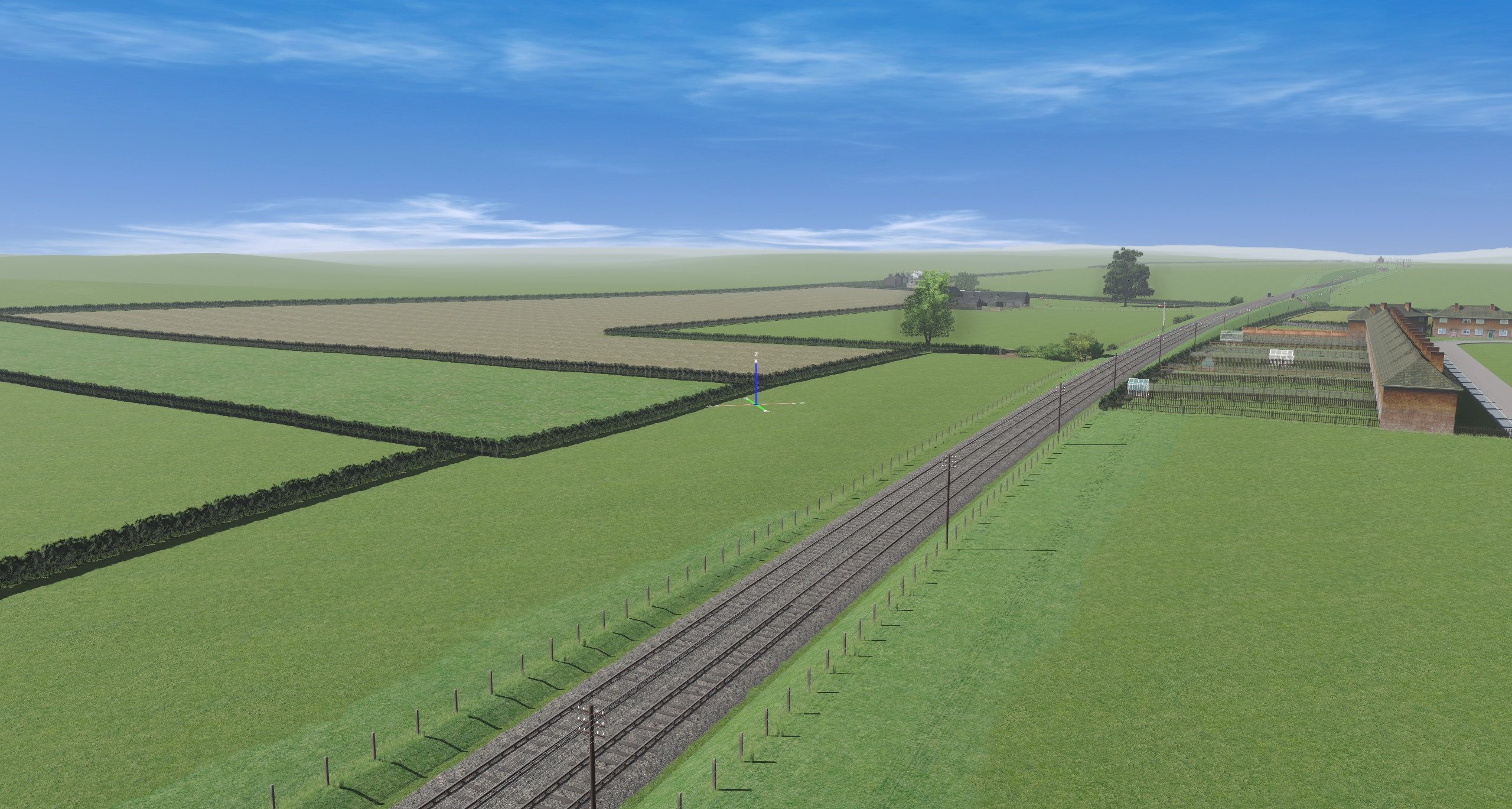
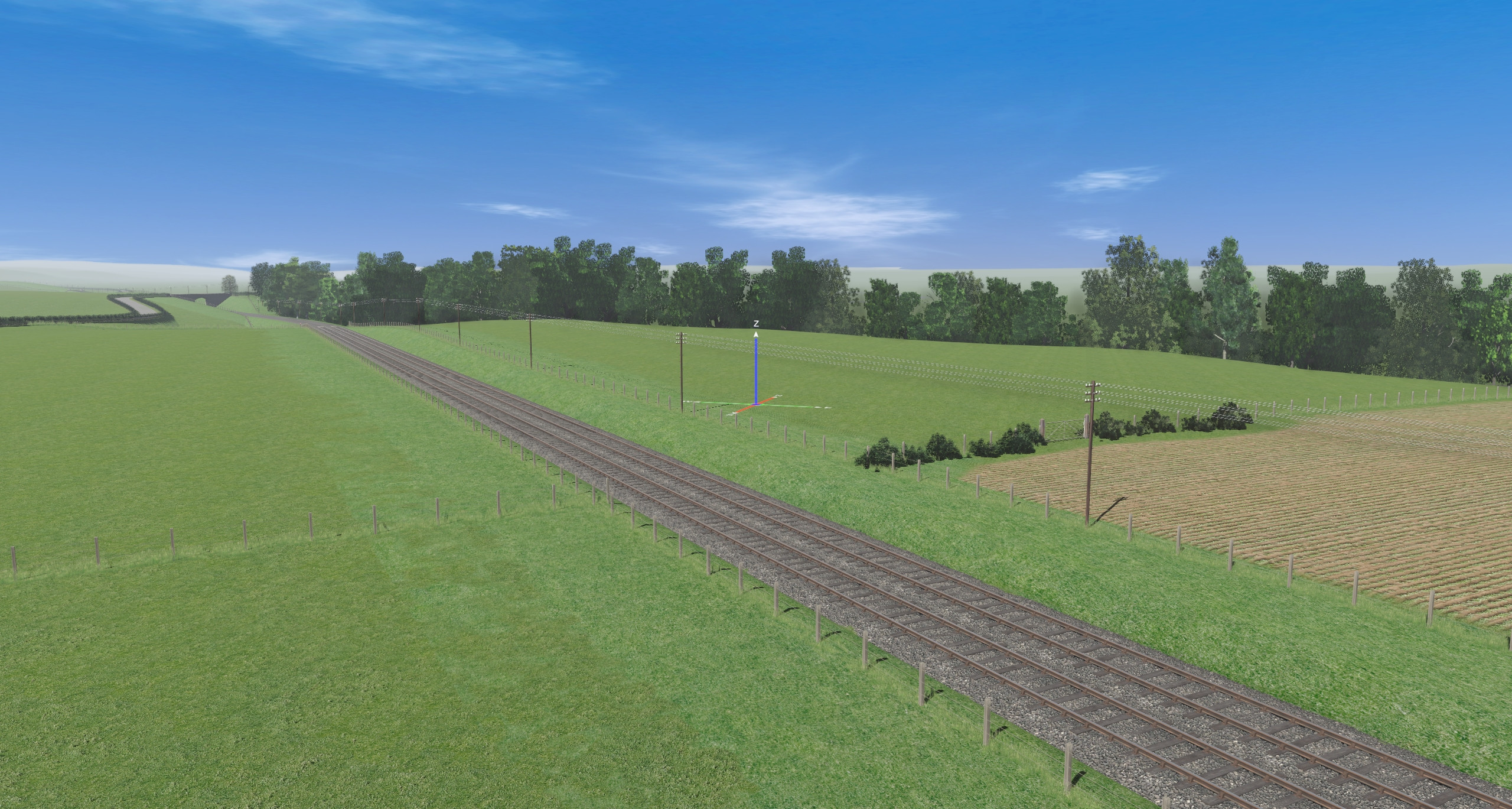
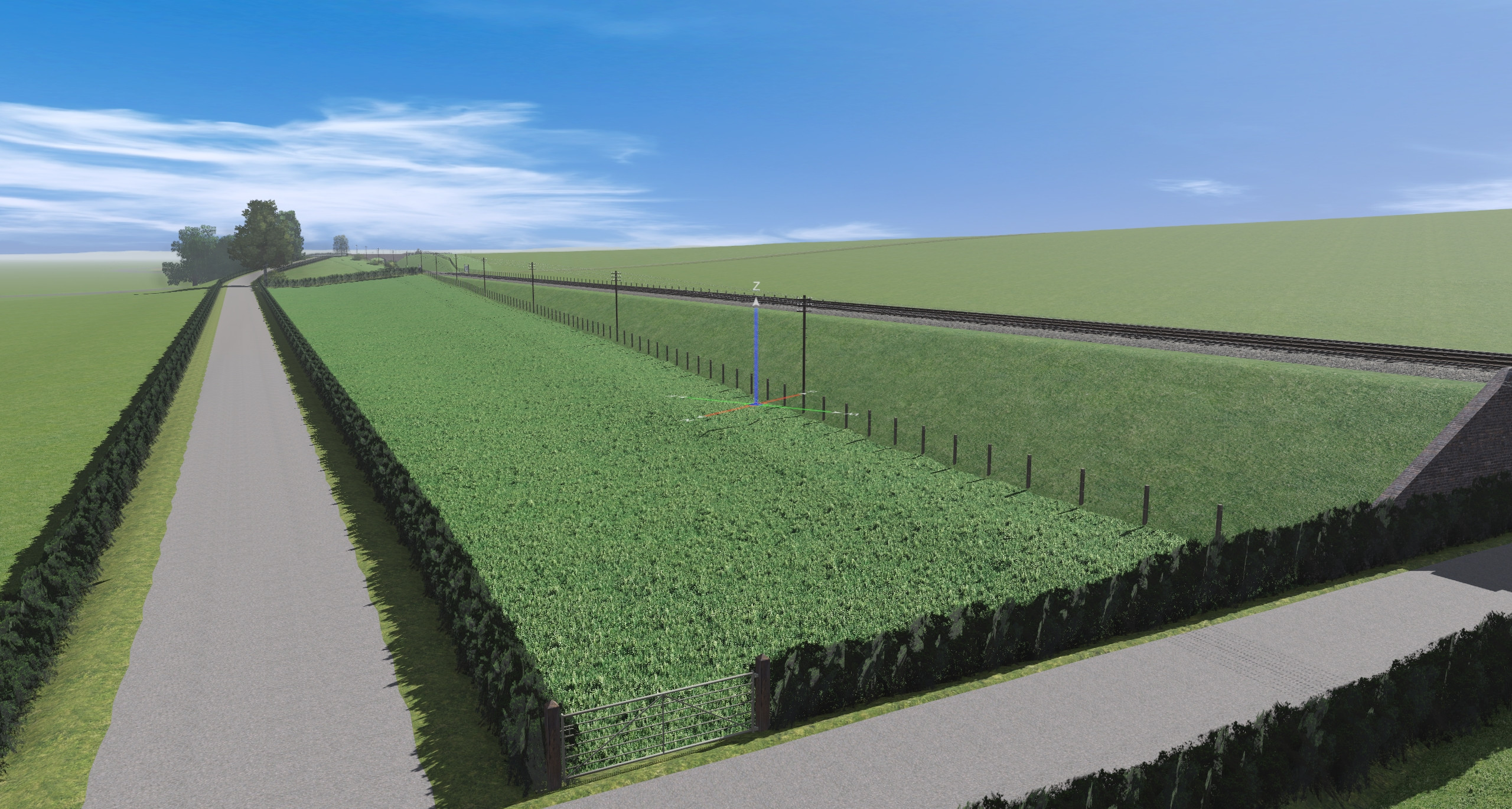
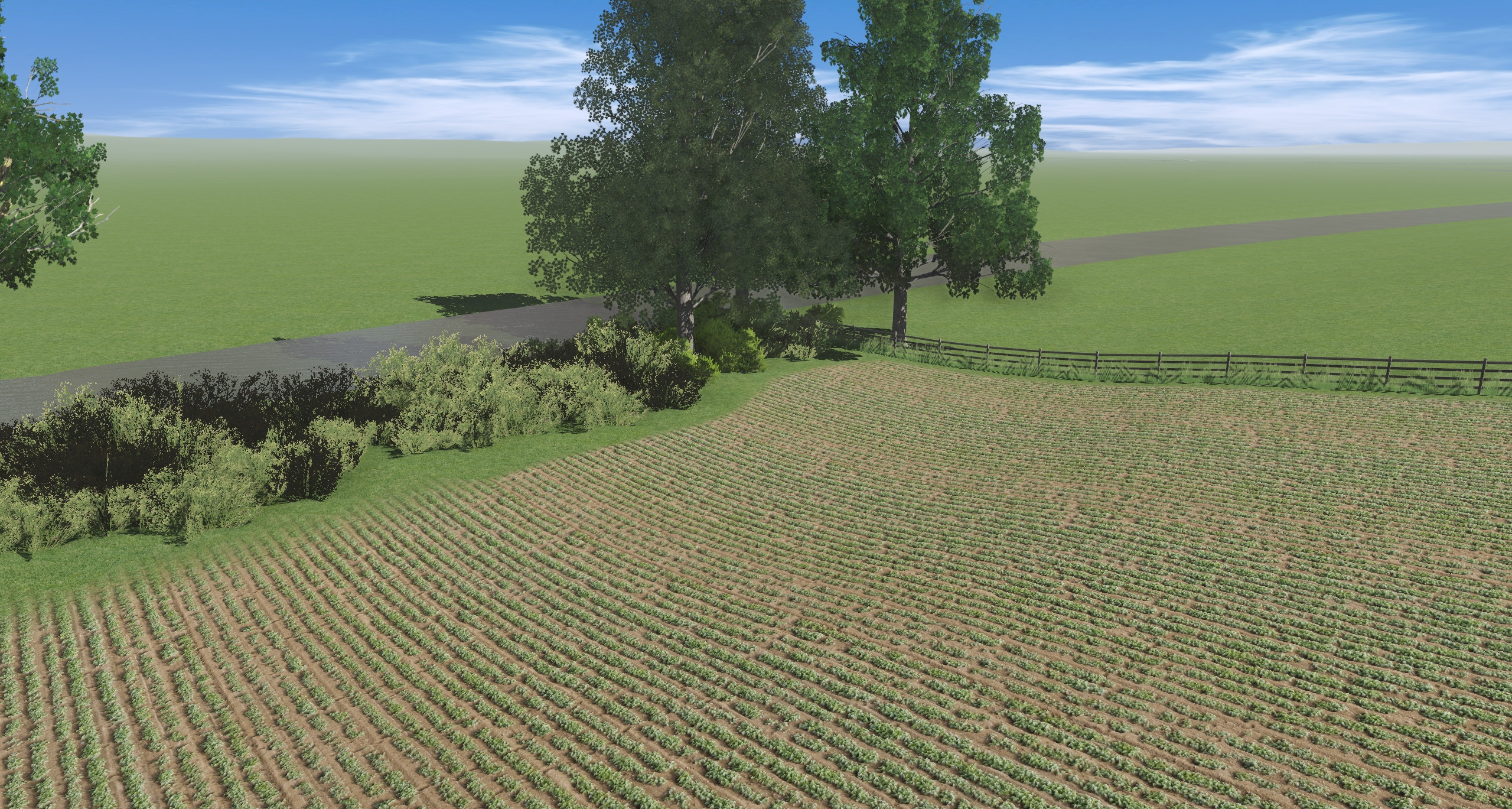
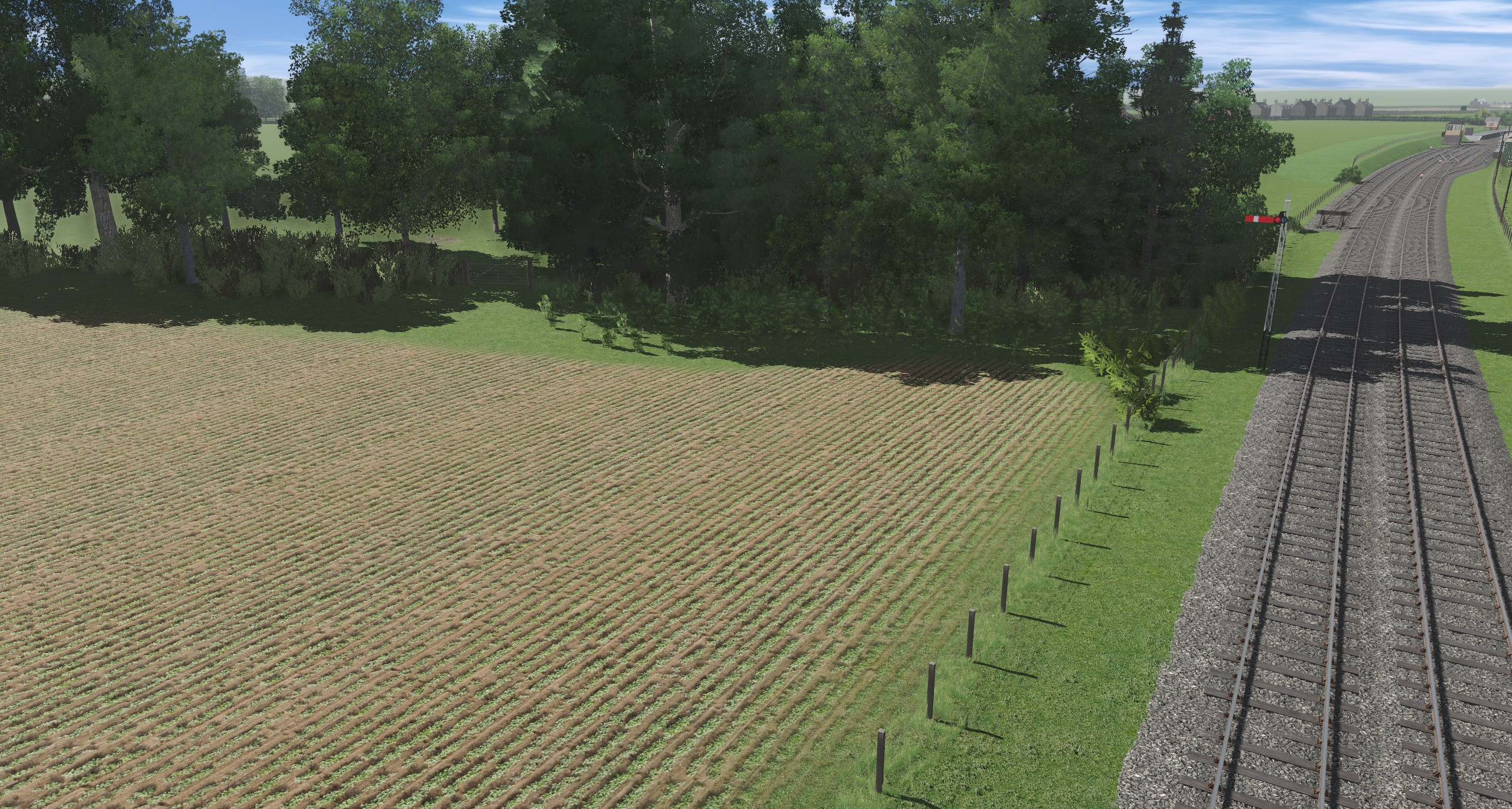
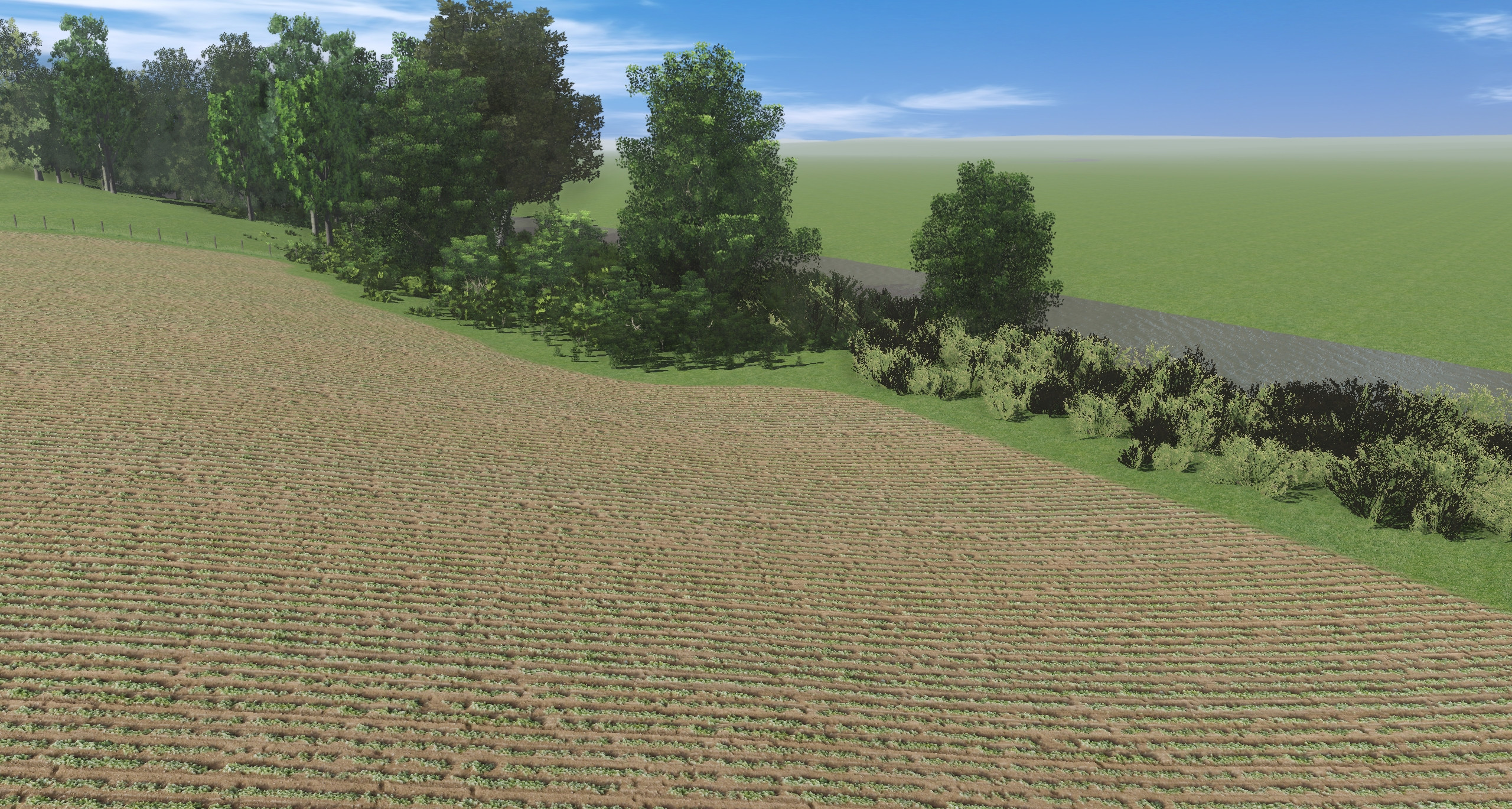
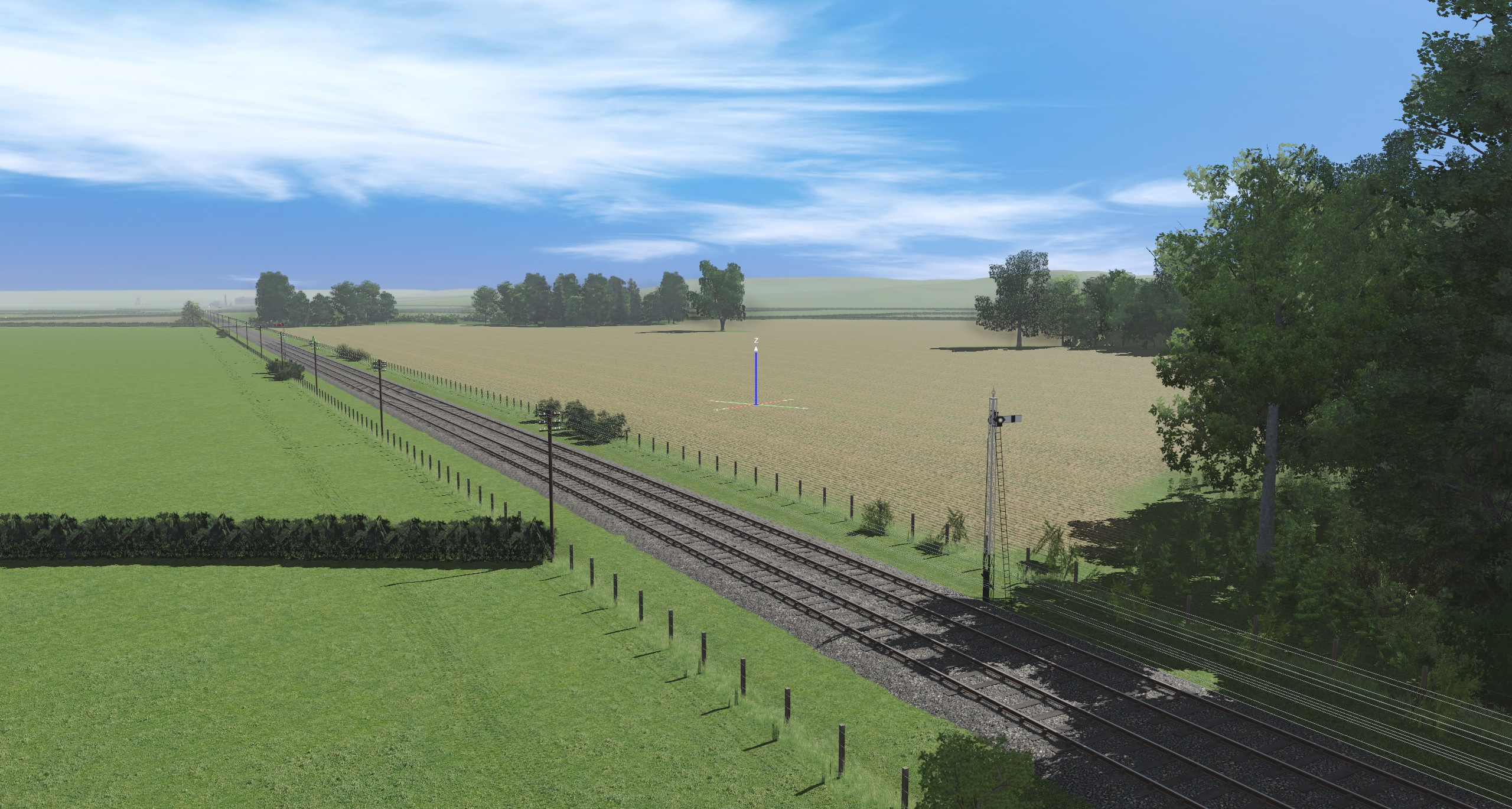
In practice, my fields usually look pretty naff - see the below, where I feel it looks unrealistic. I don't think it's a shock to anyone to learn that we have very few 'decent' hedgerows - I use Clam1952s but they do tend to be quite repetitive and look strange field after field. The next choice would be fences but again a fence in the middle of grass also looks odd so I try and break it up with random hedges and/or grass assets; the TRK series are quite good for this as are some of RMMs 'kust' assets.

Does anyone else have any tips on how you model fields? Seeing as I suspect most railways spend a significant amount of time running through them I want to make sure I get it right! Naturally, in the screenshots I have posted the route is a WIP and more trees will be added but I don't want to flood the scene with trees. Likewise does anyone have any thoughts on road boundaries; again, I have used the same hedge but it just doesn't look right in my eyes.

Cheers,

PLP
BQ3L7b2.jpg


BQ3LAJf.jpg


BQ3LaxS.jpg


BQ3L5Ol.jpg
 
I used Clam's hedgerow splines as well but with various trees along them

But I use Transdem's generated map tiles, so can place hedgerows where they are in real life and then place the trees where they are in real life as well.
 
I'm using TransDEM too, the challenge with this particular route is that I'm modelling 1956-1957 and while large clusters of trees are indicated on OS maps, the odd tree here or there along a hedge aren't! I do try and break the hedges up with trees but I'm not 100% sold on the visual effect.

What I must remember is that it is a WIP and what initially looks terrible soon looks better once it is blended in with the surrounding scenery. It's very easy to look at a WIP and think 'it's rubbish' but once an area starts to come together it often looks better than you first thought.

Incidentally, I have looked at your routes before both with this project and with Swanage and it has proved invaluable to me on both occasions to see how you have tackled a specific area and what assets you have used.

Cheers,

PLP
 
It depends on which country and/or region you are creating. Fields are rarely 100% uniform so using a single flat texture does make them look unrealistic. This is where PBR textures, with all their issues, and TurfFX/Clutter, with their own issues, can make a significant difference. In your last shot above the field closest to the camera POV, with the metal gate at the corner, does look good - I am assuming that it is a PBR texture.

I use PBR almost exclusively. I also use TurfFX/Clutter Effect Layers but only closer to the track otherwise the rendering penalties can be high.

A few suggestions. Farmers rarely if ever plow a field right upto the fence line - insufficient room to turn or maneuver the tractor/harvester. So I would put a different texture along the fence line and add some grasses particularly under the fence. Cultivated fields or crops are rarely perfectly uniform so add a bit of variety (e.g. few clumps of grasses on a ploughed field or clumping/barer patches in a crop. The key is experimentation until you get the look you like.
 
Hi pware,

Yes I agree - PBR is the way to go, all textures I use are PBR though with varying levels of scale. The base green grass texture you see in most of the shots is 1%, whereas the fields are anywhere between 10% and 70%.

What I have done in this instance is put the field texture down and then select the boundary splines and painted under them with the base grass texture to a radius of 2m or 3m. With the last shot, as it is a rough grass texture I didn't feel it needed that boundary however you can see the boundary in the second shot down. What I tend to do in the corners of fields is add some grass and bush assets to show that it hasn't been ploughed although I don't do this on every field. I have used soil texture in the past which didn't look bad, so I could perhaps do that here?

In an ideal world, I'd have individual hedge/bush assets lined up to make a hedge as they look less uniform than splines but considering I have over 70 miles to do and I've done about one square mile so far, that's not an option - especially on hillsides where the bushes would need sinking into the ground to avoid floating assets.

BQFuqmb.jpg


BQFuoLQ.jpg


BQFuCIj.jpg


Cheers,

PLP
 
I randomly place Euromodeler's (sigh, we miss you Graham) shrubs and bushes into Clam's (we miss you too Malc) hedges to make rough looking hedgerows. Closer in to the railway I will make use of rough grasses and maybe some wildflowers as well
My imaginary piece of Norfolk is only 30 miles long, but I have to agree that doing this to every field boundary does get old really fast.
 
It depends on which country and/or region you are creating. Fields are rarely 100% uniform so using a single flat texture does make them look unrealistic. This is where PBR textures, with all their issues, and TurfFX/Clutter, with their own issues, can make a significant difference. In your last shot above the field closest to the camera POV, with the metal gate at the corner, does look good - I am assuming that it is a PBR texture.

I use PBR almost exclusively. I also use TurfFX/Clutter Effect Layers but only closer to the track otherwise the rendering penalties can be high.

A few suggestions. Farmers rarely if ever plow a field right upto the fence line - insufficient room to turn or maneuver the tractor/harvester. So I would put a different texture along the fence line and add some grasses particularly under the fence. Cultivated fields or crops are rarely perfectly uniform so add a bit of variety (e.g. few clumps of grasses on a ploughed field or clumping/barer patches in a crop. The key is experimentation until you get the look you like.
Post WW2 up to the 1970s/early 80s we used to plough as close as possibly to hedges up the sides in the UK , and then plough the headlands in as well to the point you could barely walk round a field without stepping on the crop. Nowadays, with the increased emphasis on the environment we've a) stopped using DDT and b) field boundaries are much larger - 20-30 feet.
 
Tom - I'd suggest using a larger scale version of the Field Grass 1 under the hedges and fences, and then use a colour effect layer to darken it.

Likewise mess around with some scale and colour effect layers within the fields to create the impression of richer and poorer areas of grass. I think I may have read that there's a performance hit for altering scale (or is it direction) of a PBR texture, but at least you're not using up any more of the 16 texture limit that way.
 
and then use a colour effect layer to darken it
The Colour Effect Layer only works when using the HD Terrain option in Trainz Plus.

There is a minor performance hit when rotating PBR textures. I did some tests a while ago on a very large route (~400MB in CM) with and without PBR texture rotations and using rotation increased the file size by about 5%.
 
Last edited:
The Colour Effect Layer only works when using the HD Terrain option in Trainz Plus.

There is a minor performance hit when rotating PBR textures. I did some tests a while ago on a very large route (~400MB in CM) with and without PBR texture rotations and using rotation increased the file size by about 5%.
I should have mentioned that I created the DEM for this route and I knew that PLP had converted it to HD terrain.

Thanks for confirming the situation with rotated textures - that's useful info I will keep in mind.
 
I totally agree that the lack of convincing field hedge splines is a major gap in the available UK landscaping assets. There have been promised attempts at them but unfortunately they never materialised. Like others above I have to resort to basic clam hedge splines peppered with as many trees (many half-sunk) as I can be bothered to add. ..and the darker ground texture underneath is essential. These are still too neat and consistent though. The broken down bits of hedges and variety of species in real life are very difficult to replicate and will be until someone is clever enough to create a spline that does the job.
 
For tree lined boundaries I use a scrapbook also containing a number of additional, sometimes sunken bush assets on a dark texture, then I delete some to make it appear fairly original. Does the job pretty well, so I wonder whether you could do the same to demarcate your field boundaries?
 
I use a scrapbook also containing a number of additional, sometimes sunken bush assets on a dark texture
I use the Scrapbook (in Surveyor 2.0) extensively for adding low scrub and bushes to an arid landscape. However, I learnt very quickly that you have to carefully select the scenery assets (grasses, shrubs, low bushes) that you add to the scrapbook to avoid ones that have high poly counts and large file sizes. Otherwise they will blow out your route file size and can kill the frame rates.
 
I use the Scrapbook (in Surveyor 2.0) extensively for adding low scrub and bushes to an arid landscape. However, I learnt very quickly that you have to carefully select the scenery assets (grasses, shrubs, low bushes) that you add to the scrapbook to avoid ones that have high poly counts and large file sizes. Otherwise they will blow out your route file size and can kill the frame rates.
Absolutely. I've re-saved several scrapbooks upon realising there were 1 or 2 framerate killers amongst them. I also use picklists more extensively because of this, placing and disabling any high poly assets into their own picklist to avoid their use in my own map.
 
Back
Top