
Driver Command Error

GP30Fan

Member
This error popped up out of no where. It
just suddenly started with no warning.

I have restored the Driver Command rule with
no success.

Reinstalling TRS06 solves the problem... Until
I copy the assets back to the local folder.

The error then starts again.

What am I looking for in the assets to cause this problem.

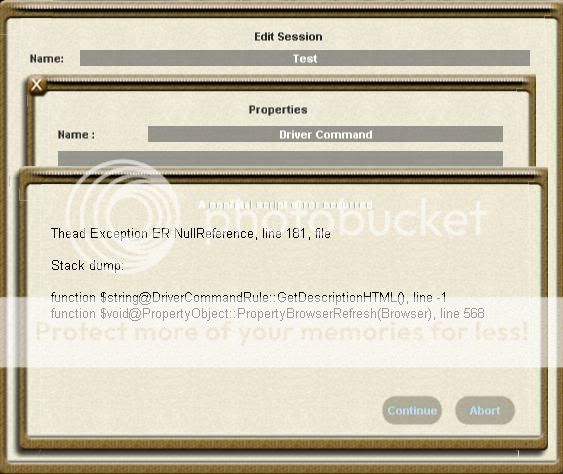
Here is the error...
DiriverConnandError.jpg
 
There is an error in a driver command. Check the recently installed driver commands for errors. You could try to disable (or delete) them one by one, checking for the error again.

Peter
 
Ok I seem to have fixed that problem, I hope.

Next question. Driver Command has 11 built in commands.

But when I go to Driver Command in Surveyor, it has over 70
possible commands to tick.

Where are they coming from. Yes I know they surely must
be in the assets somewhere. I didn't look each and every
one up by name, but how are they getting into the command
process.

Can they be selected or does one have to delete a specific
command to eliminate it from the list?

Is Trainz going thru all the rules and adding them all to the list?
 
The list you see is all of the commands you have installed - the tick indicates which ones will be available to the user in Driver.

Paul
 
Back
Top