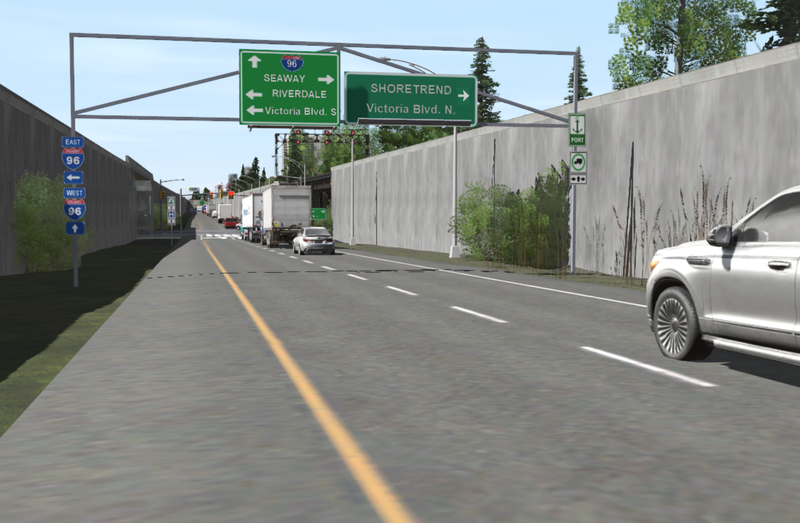
Please, i need a KUID upgade to RUN with TRS-22...

martrain

New member
Hello,

Please, I need an upgrade for this KUID made by Madeline.

- Maddy25

I have many of them in my personal project, Prototype-FreeLance.

This is an identification sign for American highways, programmable according to my chosen numbers.

This version is no longer supported by TRS-22 since April.

NUMBER: <kuid2:124017:15059:1>

THANK YOU very much.

............................
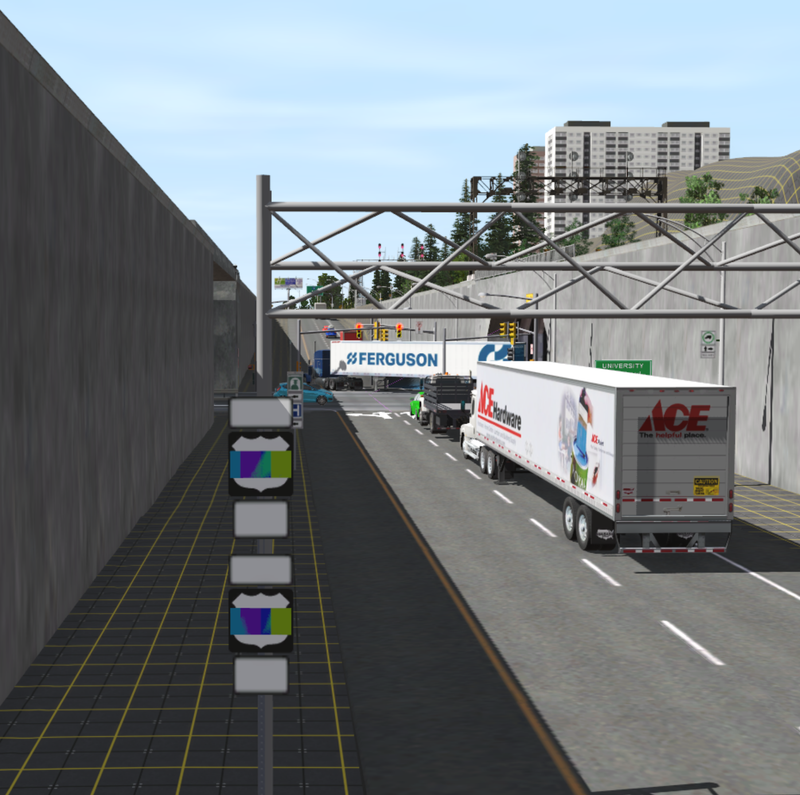
Capture-d-ecran-2026-04-11-153524.png
 
What do you mean no longer supported? I have it in my CM and it looks fine. <kuid2:124017:15059:1> U.S. Highway Sign (programmable) packaged in Midwestern Rails. Are you saying it is no longer programmable? From your screenshot it looks like maybe the script no longer works? That seems to happen a lot in TRS22. Does bringing up the properties in surveyor work? List asset versions does not show any newer versions available.
 
Last edited:
What do you mean no longer supported? I have it in my CM and it looks fine. <kuid2:124017:15059:1> U.S. Highway Sign (programmable) packaged in Midwestern Rails. Are you saying it is no longer programmable? From your screenshot it looks like maybe the script no longer works? That seems to happen a lot in TRS22. Does bringing up the properties in surveyor work? List asset versions does not show any newer versions available.
Exactly, he's doing the glitch you see.

The assets works in TRS22, if compability is set to "Maximize compability" (Launcher -> Trainz Settings -> Dev tab -> Compability: Maximize compability). The picture looks like TRS22 running at "Maximize performance".

Peter
Yes, because I need to maximize performance for smooth graphics, since I use a lot of detail in my tiles. However, I'll try it as you suggested and see if there's a difference. I should mention, though, that the asset's error messages state that this version is no longer supported.
 
I need to maximize performance
"Maximize performance" is only ever needed by some developers to test their assets. It improves performance of an asset by disabling certain features - scripts, I believe, is one of those disabled features, and the result is that the asset is no longer compatible with other assets or the operation of the program.

99.999% of users should stay with "Maximize compatibility". I have never had to use "Maximize performance" in all the decades I have been using Trainz. Stay away from it!!!
 
"Maximize performance" is only ever needed by some developers to test their assets. It improves performance of an asset by disabling certain features - scripts, I believe, is one of those disabled features, and the result is that the asset is no longer compatible with other assets or the operation of the program.

99.999% of users should stay with "Maximize compatibility". I have never had to use "Maximize performance" in all the decades I have been using Trainz. Stay away from it!!!
OK - Thank You
 
This asset is using obsolete script functions like many 1,000's of other assets. Curiously, its not in the Content Repair Group's list so I will ask for it to be added. It may take a while for us to get around to it.

Using Maximise Compatibility *should" stop the reg bugs but no guarantees. It's the default setting.
 
Back
Top