GaryReggae
Active member
I have came across a very frustrating problem today! After a few weeks away from Trainz over the Xmas period, I loaded up my route and session today and added a lot of signals to the route layer and a few vehicles in the session layer but the Driver Setup rule is red:
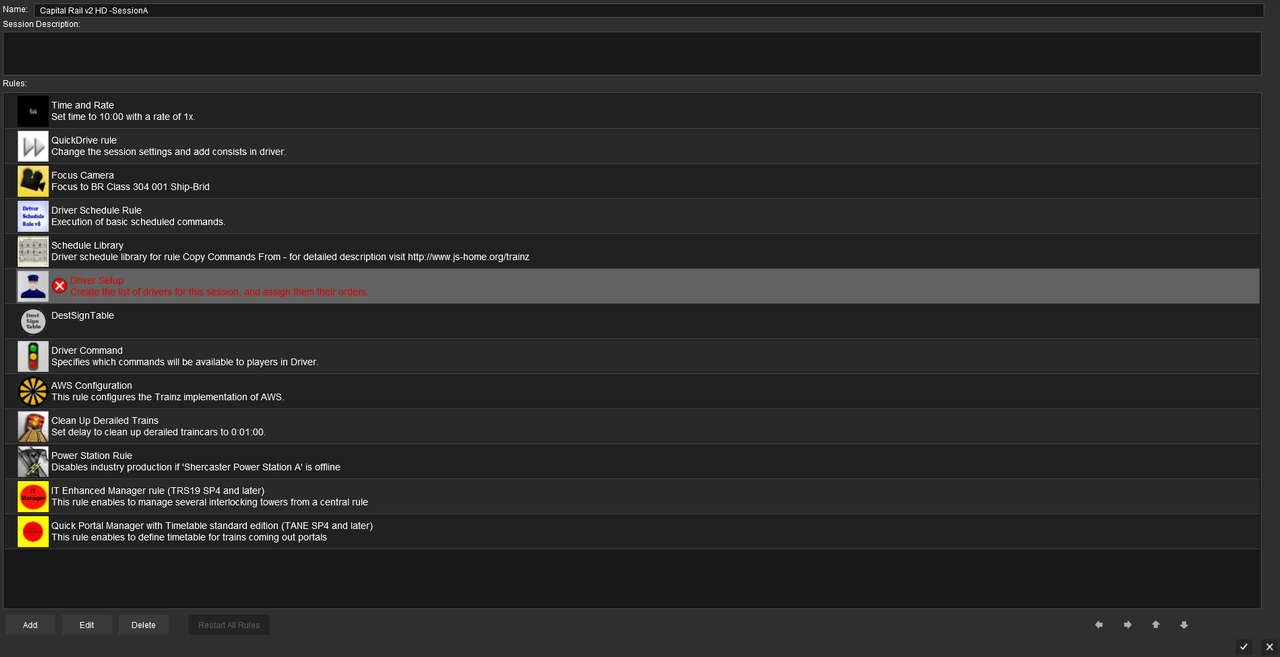
I can go into the driver setup and it all looks fine there.
Now my session is marked as Faulty in Content Manager. The Errors and Warnings are below:
- <kuid:228113:100115> : VE45: The tag 'ck_1' is not permitted within a container of type 'profile'.
- <kuid:228113:100115> : VE45: The tag '0__p_' is not permitted within a container of type 'profile'.
- <kuid:228113:100115> : VE45: The tag '_5$__' is not permitted within a container of type 'profile'.
- <kuid:228113:100115> : VE45: The tag '__' is not permitted within a container of type 'profile'.
- <kuid:228113:100115> : VE45: The tag '_1' is not permitted within a container of type 'profile'.
- <kuid:228113:100115> : VE45: The tag 'tg' is not permitted within a container of type 'profile'.
- <kuid:228113:100115> : VE45: The tag '_s+_f_$' is not permitted within a container of type 'profile'.
- <kuid:228113:100115> : VE45: The tag 'r_terminal_track_three' is not permitted within a container of type 'profile'.
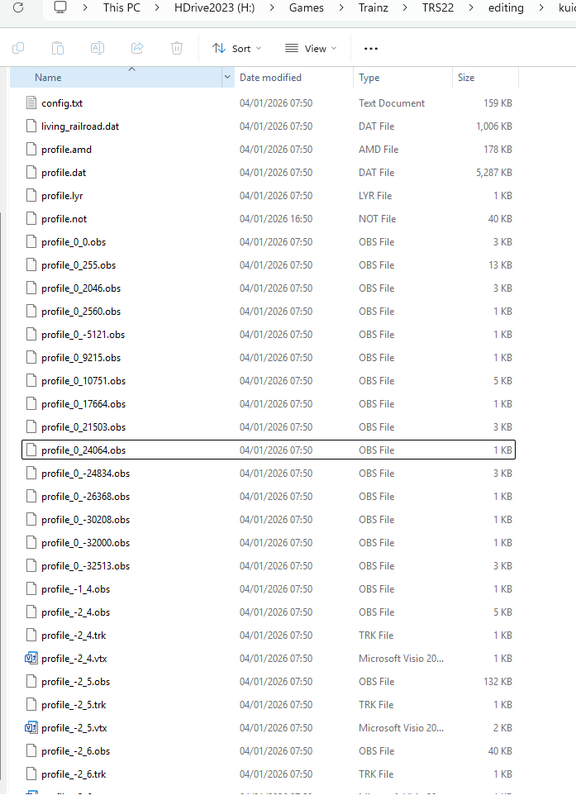
- <kuid:228113:100115> : WorldList::ValidateBackingStoreFiles> missing file: profile_1_0.obs
there are about 2500 similar lines to that last one and then at the end there is
- <kuid:228113:100115> : VE180: Integrity check failure on profile_index.vtx. One or more route/session tiles may be missing.
- <kuid:228113:100115> : VE30: The tag 'image' in 'default' refers to a nonexistent file: 'thumbnail.jpg'.
The route itself is fine (not faulty at least). I have done a database rebuilt to no avail. I am using the latest TrainzPlus build - 133407. I checked for updates in case there was some kind of new bug but there appears to be alreadsy be thre latest.
Any suggestions would be most welcome.
Kind regards,
Gary
I can go into the driver setup and it all looks fine there.
Now my session is marked as Faulty in Content Manager. The Errors and Warnings are below:
- <kuid:228113:100115> : VE45: The tag 'ck_1' is not permitted within a container of type 'profile'.
- <kuid:228113:100115> : VE45: The tag '0__p_' is not permitted within a container of type 'profile'.
- <kuid:228113:100115> : VE45: The tag '_5$__' is not permitted within a container of type 'profile'.
- <kuid:228113:100115> : VE45: The tag '__' is not permitted within a container of type 'profile'.
- <kuid:228113:100115> : VE45: The tag '_1' is not permitted within a container of type 'profile'.
- <kuid:228113:100115> : VE45: The tag 'tg' is not permitted within a container of type 'profile'.
- <kuid:228113:100115> : VE45: The tag '_s+_f_$' is not permitted within a container of type 'profile'.
- <kuid:228113:100115> : VE45: The tag 'r_terminal_track_three' is not permitted within a container of type 'profile'.
- <kuid:228113:100115> : WorldList::ValidateBackingStoreFiles> missing file: profile_1_0.obs
there are about 2500 similar lines to that last one and then at the end there is
- <kuid:228113:100115> : VE180: Integrity check failure on profile_index.vtx. One or more route/session tiles may be missing.
- <kuid:228113:100115> : VE30: The tag 'image' in 'default' refers to a nonexistent file: 'thumbnail.jpg'.
The route itself is fine (not faulty at least). I have done a database rebuilt to no avail. I am using the latest TrainzPlus build - 133407. I checked for updates in case there was some kind of new bug but there appears to be alreadsy be thre latest.
Any suggestions would be most welcome.
Kind regards,
Gary